
Book without calling
An appointment for a consultation, a check-up or a follow-up, at a moment that suits them, without waiting on hold. Confirmations and reminders go out by themselves.

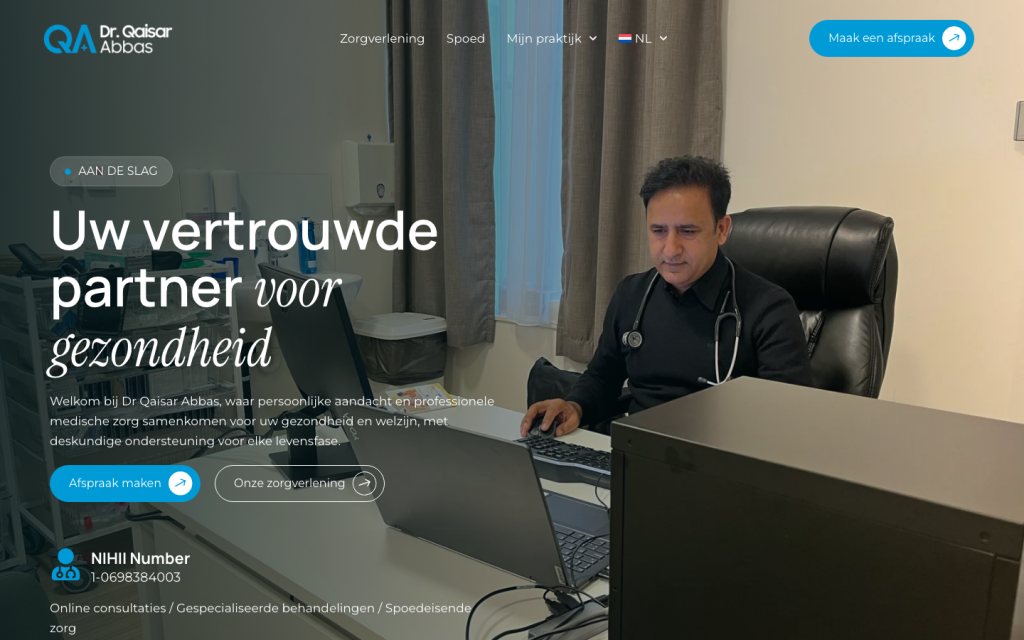
Websites for doctors, dentists & physios
↓Patients call to ask what a website should answer: how to book, what to do in an emergency, whether you take new patients, where to park. We build a site that answers those before anyone dials, with appointment booking built in, in every language your patients speak.
What your patients want
An appointment for a consultation, a check-up or a follow-up, at a moment that suits them, without waiting on hold. Confirmations and reminders go out by themselves.
Is it urgent? Who do I call after hours? Are you taking new patients? The answers on the first screen, so the phone stays free for the people who need it.
Hours, address, parking, what to bring, how a first visit works. In the languages your patients speak.
What we build
Booking per practitioner and per type of appointment, with confirmations and reminders, through our WPStack Booking module. Already on Doctolib, Progenda or another tool? We connect that instead.
A clear block for urgent cases: what to do now, which number to call after hours, and when to go straight to emergency care. Always visible, also on a phone.
One switch in the panel: taking new patients, waiting list, or patient stop. Shown on the site and in the booking, so nobody calls for nothing.
A page per practitioner and per service, with what to expect, how to prepare and what it costs if you want to show that.
Dutch, French, English or more, each a full copy of the site, not a translation widget. We built a four-language site for a GP practice.
Set up properly: categories, hours, the booking button and your live Google reviews on the site through the Reviews module, so you show up for 'dentist near me'.
The tools behind your site
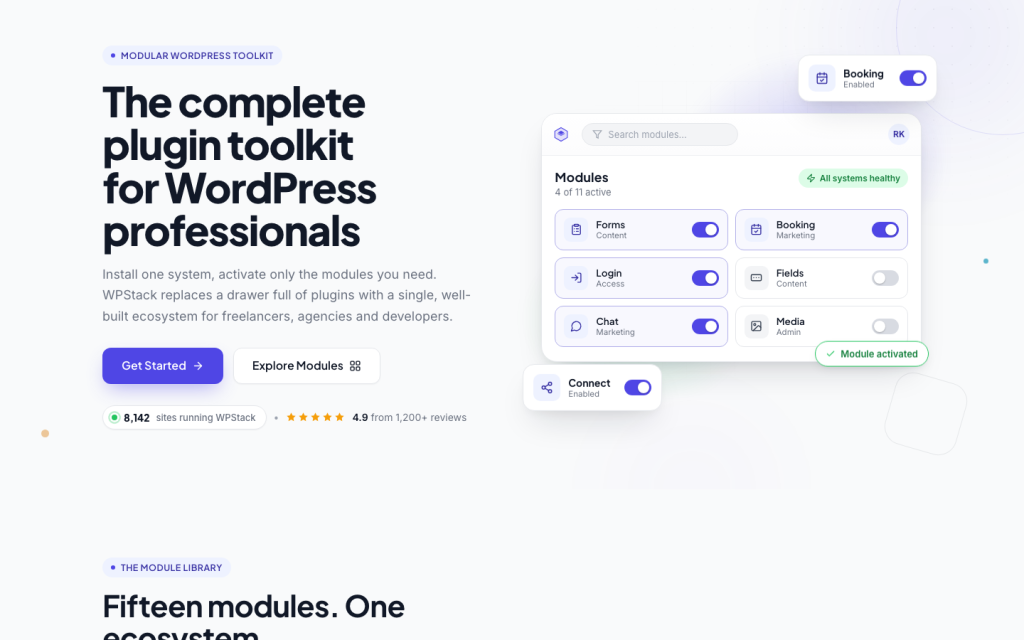
Booking, forms, reviews, cookie consent and e-mail on a practice site all come from WPStack, the plugin suite we built ourselves. One panel to learn, updates we control, nothing that breaks on a Monday morning.
See what's in WPStack→How it works
A 20-minute call about your practice, your practitioners and how patients book today. You get a clear proposal the next working day.
We design and build the site around your practice and your practical information, connect booking and reviews, and show you the staging link every week.
We launch, set up your Google Business Profile with the booking button, and show you in 30 minutes how to change hours, the patient-stop notice and the emergency block.
Good to know
Anything else? Ask us, we answer within a working day.
Yes. If patients book through Doctolib, Progenda or another tool, we connect it so they book from your site. If you have nothing yet, our Booking module is included.
The site stores as little as possible: a booking or contact form holds a name, a contact detail and the reason for the appointment, sent over an encrypted connection and deleted on a schedule you set. Medical files never touch the website.
It depends on what you need: booking, the number of practitioners, the languages, one or more locations. After the call you get a fixed proposal with everything in it, no surprises afterwards.
No. We write them from the call and your practical information, in your tone and in every language you need. You check and approve.
Most practice sites are live within three to four weeks after the call, faster if your practitioner details and photos are ready.
Yes, with one switch in the panel. The notice appears on the site and in the booking, and disappears the same way when you open up again.
Let's talk
We gebruiken cookies om uw ervaring te verbeteren, gepersonaliseerde inhoud te tonen en ons verkeer te analyseren. Kies welke cookies u toestaat. Cookiebeleid
Noodzakelijk om de website te laten functioneren en kan niet worden uitgeschakeld. Meestal ingesteld als reactie op uw acties, zoals inloggen of het invullen van formulieren. (Always active)
Stelt de website in staat om keuzes te onthouden die u maakt (zoals uw taal of regio) voor een persoonlijkere ervaring.
Helpen ons te begrijpen hoe bezoekers de website gebruiken door anoniem informatie te verzamelen en te rapporteren.
Gebruikt om bezoekers over verschillende websites te volgen en advertenties te tonen die relevant en aantrekkelijk zijn.